
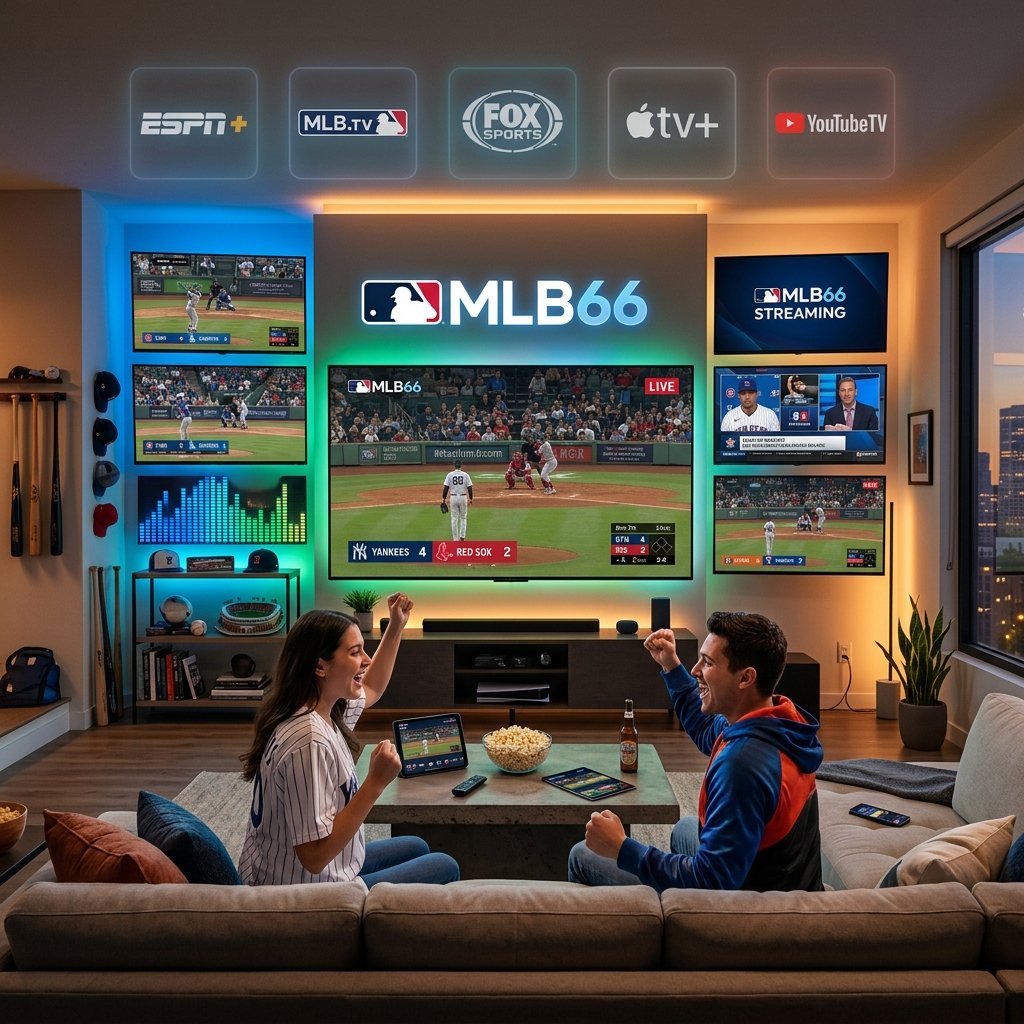

MLB66 is a free, unofficial website that streams live MLB games via aggregated links. While it offers no-cost access to baseball content, it operates outside official licensing agreements. Legal, high-quality alternatives include MLB.TV, ESPN+, YouTube TV, and Hulu Live Sports—each offering varying levels of content, cost, and device compatibility.
Every baseball fan has been there: it’s the bottom of the ninth, your team is down by one, and your cable subscription just expired. Finding a reliable way to watch live MLB games has become one of the most common frustrations in sports fandom—and it’s only gotten more complicated as streaming options have multiplied.
This guide covers everything you need to know about MLB66, how it works, what it offers, and—critically—how it compares to the growing roster of legal streaming platforms that can get you to first pitch without compromising your device security or your conscience.
Whether you’re trying to catch your local team during a road trip, follow the playoff race from abroad, or simply cut the cord without cutting out baseball, you’ll find clear, practical answers here.
What Is MLB66, and How Does It Work?
MLB66 is a free, unofficial sports streaming website that aggregates links to live MLB game broadcasts. The platform doesn’t host video content directly. Instead, MLB66 collects and displays links sourced from third-party servers, redirecting users to streams that may originate from official broadcasts—often without the rights holders’ permission.
The site gained traction among budget-conscious baseball fans looking for no-cost access to live games, particularly those locked behind regional blackouts or expensive subscription tiers. Its interface is relatively straightforward: users visit the site, browse a schedule of available games, and click a link to open a stream.
Key characteristics of MLB66 include:
- No account required to access streams
- No subscription fee or paywall
- Ad-heavy experience, with pop-ups and redirects being common
- Variable stream quality, ranging from 360p to 720p depending on the source link
- No official mobile app—access is browser-based only
Because MLB66 aggregates links rather than hosting content, the site itself shifts frequently—changing domains and URLs to stay accessible. This instability is one of its most significant drawbacks for regular viewers.
How to Navigate the MLB Schedule
Understanding the MLB Regular Season Structure
The MLB regular season typically runs from late March through early October, spanning 162 games per team. With 30 teams across two leagues—the American League and National League—there are dozens of games taking place on any given day, particularly during the summer months.
The schedule is organized around division matchups, interleague play, and nationally broadcast games (typically on Sunday nights, Monday nights, and weekends). Fans tracking multiple teams will find the official MLB schedule at MLB.com to be the most accurate and up-to-date source.
Playoff and World Series Scheduling
Following the regular season, the MLB postseason begins in early October. The playoff format includes:
- Wild Card Series (best-of-three)
- Division Series (best-of-five)
- Championship Series (best-of-seven)
- World Series (best-of-seven)
Postseason games are broadcast across Fox, TBS, and ESPN, with some games exclusively available on streaming platforms depending on the broadcast rights agreement for that year.
Finding Games on MLB66
On MLB66, the schedule is displayed on the homepage with game times (typically listed in Eastern Time). Users select a game and are presented with multiple stream links—some more reliable than others. There are no reminder or notification features, so fans need to manually check back before game time.
Live Streaming on MLB66: What to Expect
Step-by-Step Access
- Navigate to the current MLB66 URL (the domain changes periodically—search for the latest active link)
- Browse the daily schedule displayed on the homepage
- Select a game and choose from the available stream links
- Close any pop-up ads before the stream loads
- Select the best-quality link based on available options
Video Quality and Reliability
Stream quality on MLB66 is inconsistent. Some streams mirror HD broadcasts clearly; others buffer frequently or drop entirely mid-game. Because the platform relies on external servers, outages are common—especially during high-traffic events like playoff games.
Device Compatibility
MLB66 is browser-based and can be accessed on desktop computers, laptops, and mobile browsers. However, pop-up ads and redirect scripts can create friction on mobile devices, and some streams use video players that are incompatible with certain browsers (particularly Safari on iOS).
Tips for a Better Streaming Experience
- Use a desktop browser (Chrome or Firefox) for the most consistent experience
- Install an ad blocker to reduce the frequency of pop-ups
- If one stream link fails, try another—multiple options are usually listed per game
- A minimum internet speed of 10 Mbps is recommended for smooth playback
MLB66 Alternatives: Legal Platforms Worth Considering
For fans who want reliable, high-quality access to live MLB games without the risks associated with unofficial streaming, several legitimate platforms deliver strong value.
MLB.TV: The Official Streaming Service
MLB.TV is Major League Baseball’s official streaming platform. A full-season subscription provides access to every out-of-market game—meaning games not broadcast in your local market. Features include multiple broadcast angles, DVR functionality, and a dedicated app available on iOS, Android, Roku, Apple TV, Fire TV, and more.
Best for: Fans who follow a specific team that plays in a different market, or those who want to watch multiple teams throughout the season.
Note: Local market blackouts apply on MLB.TV, which means games broadcast locally are not available to stream on the platform.
ESPN+: Baseball Content and Exclusive Games
ESPN+ carries a selection of live MLB games under its “Sunday Leadoff” package, along with extensive baseball analysis, highlights, and historical content. As of recent seasons, ESPN+ has expanded its MLB rights to include more exclusive matchups.
Best for: Fans who already subscribe to ESPN+ for other sports and want to add MLB access without a separate subscription.
YouTube TV and Hulu Live Sports
Both YouTube TV and Hulu Live Sports include regional sports networks (RSNs) and national broadcast channels (ESPN, Fox, TBS) that carry live MLB games. These platforms function as virtual cable replacements and offer:
- Live local broadcasts
- DVR storage
- Multi-device streaming
- No long-term contract
YouTube TV costs approximately $72.99/month; Hulu + Live TV is priced similarly at around $76.99/month (prices subject to change). Both are significantly more expensive than MLB.TV alone but offer broader sports and entertainment coverage.
Free Legal Streaming Alternatives
- Peacock carries select MLB games as part of NBC’s broadcast deals
- Apple TV+ has an exclusive “Friday Night Baseball” package featuring two weekly games with no cable subscription required—and no blackout restrictions
- Local over-the-air broadcasts via antenna remain a free, legal option for fans in major markets
MLB66 vs. Official Platforms: A Direct Comparison
|
Feature |
MLB66 |
MLB.TV |
ESPN+ |
YouTube TV |
|---|---|---|---|---|
|
Cost |
Free |
~$149.99/season |
~$10.99/month |
~$72.99/month |
|
Stream Quality |
Variable |
Up to 4K |
HD |
HD |
|
Live Local Games |
Sometimes |
No (blackouts) |
Limited |
Yes |
|
Device App |
No |
Yes |
Yes |
Yes |
|
Legal Status |
Unofficial |
Official |
Official |
Official |
|
Reliability |
Low |
High |
High |
High |
Legal and Safety Considerations
This is where MLB66 requires serious scrutiny. Unofficial streaming sites routinely expose users to:
- Malware and malicious scripts embedded in ads or redirect links
- Phishing attempts through deceptive pop-ups
- Data privacy risks from unvetted third-party scripts running on the page
Beyond personal security, accessing copyrighted sports content through unlicensed platforms raises legal concerns. While enforcement actions against individual viewers are uncommon, the legal ambiguity is real—and the safety risks are not.
How to Choose the Right MLB Streaming Option for Your Needs
The right platform depends on three core factors:
Budget: MLB.TV offers the best value for dedicated baseball fans at roughly $149.99 per season—under $1 per day during the regular season. If you’re primarily watching one out-of-market team, this is the most cost-efficient legal option.
Local game access: If your priority is watching your local team’s games, MLB.TV’s blackout restrictions make it less useful. In that case, YouTube TV, Hulu Live, or an over-the-air antenna is a better fit.
Casual vs. dedicated viewing: Casual fans who only tune in for big games may find Apple TV+’s free Friday Night Baseball package or Peacock’s occasional broadcasts sufficient—without any ongoing subscription cost.
Troubleshooting Common MLB Streaming Issues
Buffering and Connection Problems
Buffering is most often a bandwidth issue. Before blaming the platform, run a speed test (fast.com is a reliable tool). For smooth HD streaming, aim for at least 10–15 Mbps. If your connection is strong and buffering persists, try switching to a lower video quality setting or a wired ethernet connection.
Account Access and Login Issues
On official platforms like MLB.TV, login issues are typically resolved through the standard password reset flow. If you’re using a bundled subscription (e.g., MLB.TV through a carrier deal), verify that the bundle is still active through your provider’s account portal.
Geographic Restrictions and VPN Use
MLB.TV’s blackout rules are geography-based. Some subscribers use VPNs to bypass these restrictions, though MLB’s terms of service prohibit this practice. VPN use on unofficial platforms like MLB66 is more common but introduces additional privacy considerations depending on the VPN provider.
Video Quality Problems
On official platforms, video quality settings can typically be adjusted manually within the player. On MLB66, quality is determined by the external stream source—switching to a different link is usually the only fix.
The Future of Baseball Streaming: What Fans Should Know
MLB66 fills a gap that the official streaming market has been slow to close—specifically, affordable access to live local games without a full cable subscription. Apple TV+’s no-blackout Friday Night Baseball package and MLB’s ongoing negotiations with regional sports networks signal that the league is aware of the problem.
As cord-cutting accelerates and traditional RSN deals continue to unravel (Diamond Sports Group, which operated Bally Sports regional channels, filed for bankruptcy in 2023), MLB is likely to bring more games directly to fans through official digital channels. The landscape in 2025 and beyond will probably look more like a centralized MLB streaming hub—closer to what the NFL has built with its Sunday Ticket product on YouTube TV.
For now, here’s a practical summary:
- Follow one out-of-market team? MLB.TV is your best value
- Want local games without cable? YouTube TV or Hulu Live Sports
- Casual fan on a tight budget? Apple TV+ Friday Night Baseball + Peacock for select games
- Reliability and safety are priorities? Avoid unofficial platforms like MLB66
The best seat in the house doesn’t have to come with risk. With the official options now available across nearly every device and budget level, there’s a legal path to first pitch for almost every fan.
Frequently Asked Questions About MLB Streaming
Is MLB66 legal to use?
MLB66 is not an officially licensed streaming platform. It aggregates links to copyrighted broadcasts without authorization from MLB or its broadcast partners. Using the site exists in a legal gray area for viewers, but the safety risks—including malware exposure—are more immediately practical concerns.
Does MLB.TV include all MLB games?
MLB.TV provides access to all out-of-market games, meaning games not broadcast locally in your geographic market. Local market games are blacked out on the platform due to existing broadcast rights agreements with regional networks.
How much does it cost to stream MLB games legally?
Costs vary by platform. MLB.TV costs approximately $149.99 per full season. ESPN+ starts at $10.99/month. YouTube TV and Hulu Live Sports are approximately $72–$77/month. Apple TV+’s Friday Night Baseball is included with an Apple TV+ subscription (~$9.99/month) or available free on select weeks.
Can I watch MLB games for free legally?
Yes. Apple TV+ offers a free Friday Night Baseball doubleheader each week during the season (no blackout restrictions). Peacock carries select games. Over-the-air antenna broadcasts are free for fans in local markets. Some games also air on free ad-supported streaming services depending on the broadcast schedule.
Why do blackouts exist on MLB.TV?
Blackout restrictions exist because MLB has existing contractual agreements with local television broadcasters and regional sports networks. These agreements give local broadcasters exclusive rights to air games in specific geographic markets, which prevents MLB.TV from simultaneously streaming those games in the same area.
What is the best MLB streaming option for fans outside the US?
MLB.TV is generally the best option for international viewers, as blackout restrictions typically apply only within the United States. Most out-of-market games are available without restriction to subscribers in other countries.