

Google Music Lab is a free, browser-based music creation platform developed by Google that offers interactive tools like Song Maker, AI Duet, and Melody Maker. It requires no downloads or accounts and works across most devices, making it one of the most accessible music education and creation tools available today.
You don’t need a piano, a recording studio, or years of lessons to start making music. Google Music Lab puts melody, rhythm, and harmony at your fingertips—for free, in any browser, on almost any device.
Launched by Google as part of its Chrome Music Lab initiative, the platform was originally designed to make music more approachable through technology. Since its release, it has grown into one of the most widely used music education tools on the internet, embraced by teachers, students, hobbyists, and professional musicians alike.
This guide covers everything you need to know about Google Music Lab—what it is, how to use its key tools, how it compares to paid alternatives, and how you can get the most out of it, whether you’re a curious beginner or an experienced musician looking for a fast, intuitive way to experiment with sound.
What Is Google Music Lab?
Google Music Lab is a free, browser-based music creation and education platform developed by Google. It is part of the broader Chrome Music Lab project, which was created to make music more accessible through the web. The platform hosts a collection of interactive experiments—each one focusing on a specific aspect of music, such as rhythm, melody, harmony, or sound waves.
Google’s core mission with Music Lab is to democratize music creation. The platform removes traditional barriers—cost, technical knowledge, and access to instruments—by offering tools that anyone can use without prior experience. This aligns with Google’s broader philosophy of making information and creative tools universally accessible.
The platform currently features over a dozen experiments, ranging from simple rhythm builders to sophisticated AI-powered composition tools. Each experiment is self-contained, visually intuitive, and designed to teach a concept while encouraging creative play.
How Do You Access Google Music Lab?
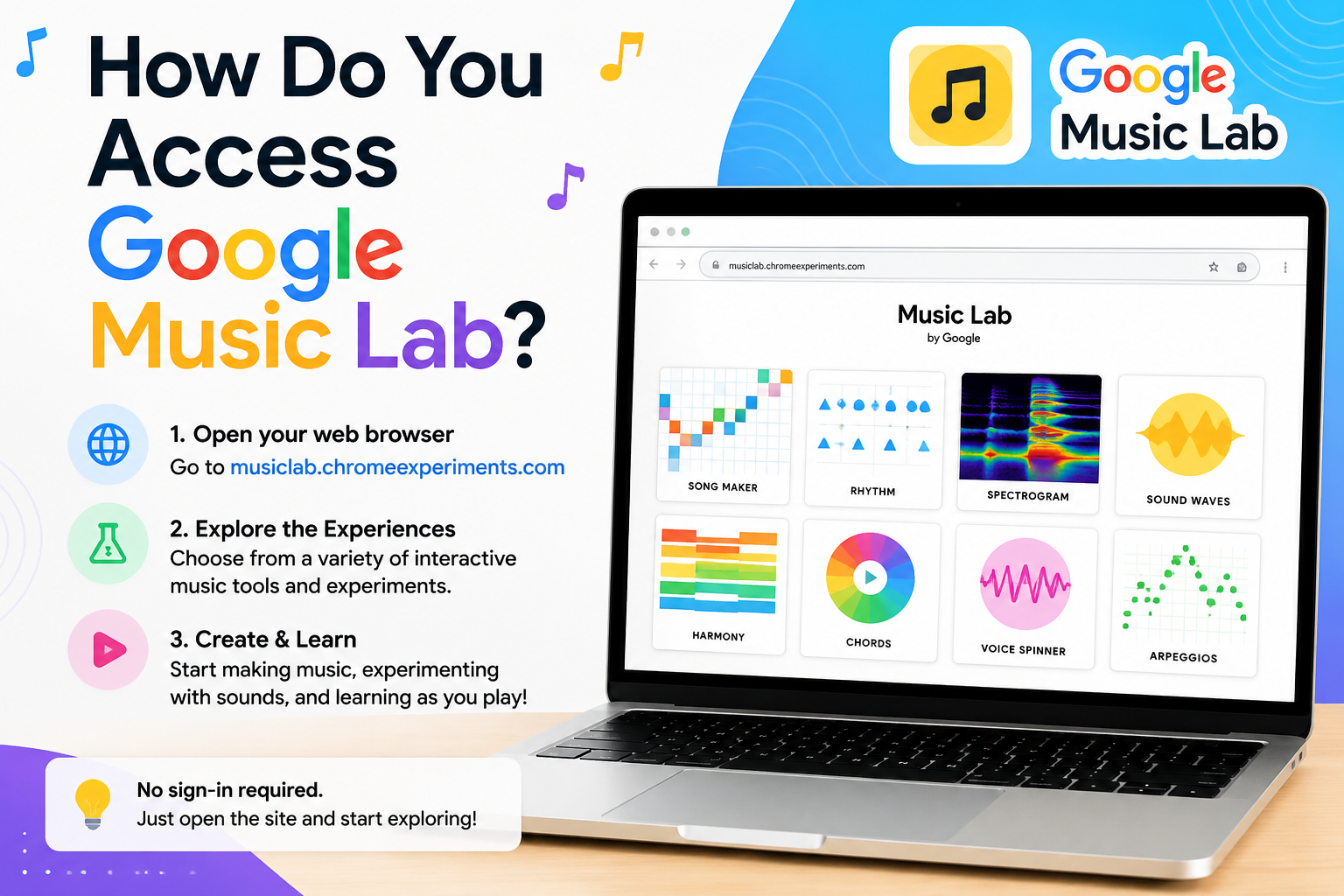
Getting started with Google Music Lab is straightforward. The platform lives entirely in the browser—there is nothing to download or install. Simply visit musiclab.chromeexperiments.com and you’re in.
System requirements and compatibility:
- Google Music Lab works best in Google Chrome, though most modern browsers support it
- It is compatible with desktop computers, tablets, and smartphones
- Some experiments use touch controls, making them particularly well-suited for tablets
- No account creation is required, though saving work within certain tools (like Song Maker) generates a shareable link
The interface is clean and minimal. The homepage displays a grid of experiments, each represented by a visual thumbnail. Clicking any thumbnail launches the experiment immediately. There are no tutorials to sit through, no sign-up walls, and no paywalls.
Exploring the Key Tools and Features of Google Music Lab
What Can You Do with Song Maker?
Song Maker is the most fully featured tool on the platform. It functions as a simplified digital audio workstation (DAW), allowing users to compose complete tracks using a grid-based visual interface. Users click squares on the grid to place notes, select from a range of instruments (including piano, strings, woodwinds, and marimba), and adjust the tempo and key.
The visual nature of Song Maker makes it particularly effective for beginners. Musical notation can feel abstract; Song Maker replaces it with colored blocks that correspond to pitch and duration—making the relationship between visual input and sound immediately tangible.
How Does AI Duet Work?
AI Duet is one of the most remarkable experiments on the platform. It uses machine learning to respond to the notes you play in real time, creating an improvisational back-and-forth between the user and an AI. The AI was trained on a large dataset of music, allowing it to generate responses that feel melodically coherent rather than random.
For musicians, AI Duet is a fascinating brainstorming tool. For educators, it demonstrates how machine learning perceives musical patterns—a valuable lesson at the intersection of music and technology.
What Is the Tone Matcher Tool Used For?
Tone Matcher uses the device’s microphone to detect musical notes in real-world sounds. Sing into it, hum a melody, or hold up a musical instrument—Tone Matcher identifies the pitch and displays the corresponding note on a visual scale. This makes it an effective ear training tool, helping users build the skill of recognizing and matching pitch.
How Does Melody Maker Help Beginners Compose Music?
Melody Maker simplifies the composition process by presenting users with a visual grid where they can place notes to construct a melody. The tool is intentionally minimal, focusing purely on the melodic line without chords or accompaniment. This makes it ideal for learning the basics of melodic structure—how phrases rise and fall, how rhythm shapes a melody, and how repetition creates musical memory.
What Are the Rhythm and Loops Features?
The Rhythm experiment lets users build drum patterns by toggling beats on a visual grid. Loops builds on this concept by allowing users to layer multiple instruments—creating polyrhythmic arrangements by stacking different rhythmic patterns. Together, these tools teach foundational concepts of beat, meter, and layering.
How Does Google Music Lab Teach Music Theory?
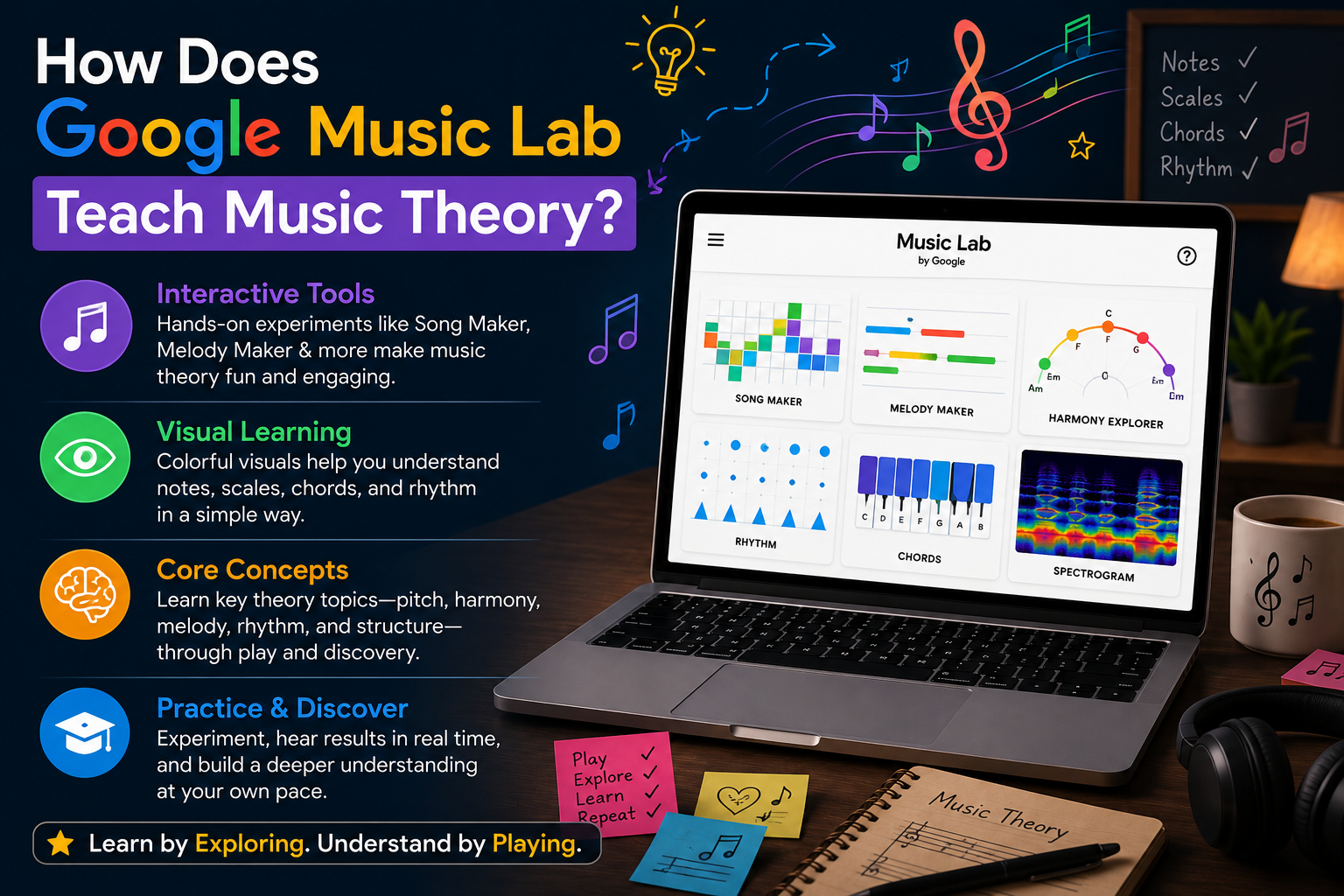
Google Music Lab approaches music education through discovery rather than instruction. There are no lectures, no quizzes, and no prescribed learning paths. Instead, each experiment creates a low-stakes environment where users can test musical ideas and immediately hear the results.
This hands-on approach aligns with research in experiential learning. When learners actively engage with a concept—rather than passively receiving information—they tend to retain it more effectively. A student who builds a rhythm pattern in Google Music Lab and hears how syncopation changes the feel of a beat has learned something a textbook diagram struggles to convey.
Key music theory concepts covered across the platform include:
- Rhythm and meter — Rhythm and Loops
- Melody and pitch — Melody Maker, Tone Matcher
- Harmony and chord structure — Chords experiment
- Timbre and sound waves — Spectrogram, Voice Spinner
- Composition and arrangement — Song Maker
Who Uses Google Music Lab? Real-World Applications
How Are Music Teachers Using Google Music Lab in Classrooms?
Google Music Lab has gained significant traction in K–12 music education. Teachers use it to introduce abstract concepts—like what a sound wave looks like, or how harmony functions—through interactive demonstrations. Because the platform requires no downloads and runs on school-issued Chromebooks and tablets, it integrates smoothly into most classroom environments.
Song Maker, in particular, is widely used as a composition assignment tool. Students can create a short piece, generate a shareable link, and submit it digitally—streamlining the feedback process for music teachers.
Can Hobbyists and Beginners Use Google Music Lab Effectively?
Absolutely. For hobbyists with no formal music training, Google Music Lab offers a judgment-free creative space. The visual interfaces make it easy to experiment without knowing how to read sheet music or understand chord theory. Many users report that playing with tools like Song Maker or AI Duet sparked a genuine interest in music that led them to pursue formal lessons.
How Do Professional Musicians Use Google Music Lab?
Professional musicians and producers occasionally use Google Music Lab as a rapid ideation tool. Song Maker’s simplicity makes it useful for sketching a melodic or rhythmic idea quickly, without the overhead of opening a full DAW. AI Duet can also serve as an unexpected source of creative inspiration—the AI’s responses sometimes suggest directions a musician wouldn’t have considered independently.
How Accessible Is Google Music Lab for People with Hearing Impairments?
Several Google Music Lab experiments incorporate visual representations of sound, making them meaningful for users with hearing impairments. The Spectrogram visualizes sound frequencies in real time. Voice Spinner manipulates recorded sounds and shows their waveforms. These tools can help individuals with partial hearing or hearing loss engage with music through its visual and tactile dimensions.
Tips for Getting the Most Out of Google Music Lab
Use Song Maker to learn scales. Set the scale to pentatonic and experiment freely—every note combination will sound harmonious, making it an ideal starting point for beginners.
Combine tools for richer compositions. Build a drum pattern in Loops, then hum that melody into Tone Matcher to identify the notes, and recreate it in Song Maker. This multi-tool workflow mimics a real composition process.
Use AI Duet for creative blocks. If you’re stuck on a melody, play a few notes in AI Duet and listen to how the AI responds. Use its suggestions as a starting point.
Share Song Maker links with collaborators. Song Maker generates a unique URL for each composition. Share it with a collaborator who can open, edit, and re-share the piece—a lightweight form of musical collaboration.
Explore the Spectrogram for sound design curiosity. Hold different objects near your microphone and watch how their sound signatures differ. It’s an unexpectedly engaging way to develop an ear for timbre.
Google Music Lab vs. Ableton Live, Logic Pro, and Other DAWs
How Does Google Music Lab Compare to Professional DAWs?
Google Music Lab and professional DAWs like Ableton Live, Logic Pro, and FL Studio serve fundamentally different purposes. The comparison isn’t about which is better—it’s about which is right for a given task.
|
Feature |
Google Music Lab |
Ableton Live / Logic Pro |
|---|---|---|
|
Cost |
Free |
$99–$749+ |
|
Setup |
Browser-based, instant |
Download and install required |
|
Learning curve |
Very low |
High |
|
Output quality |
Basic/educational |
Professional |
|
Collaboration |
Link sharing |
Project file sharing |
|
AI features |
AI Duet |
Third-party plugins |
Choose Google Music Lab if you are a beginner, a teacher, or someone who wants to explore music without financial commitment or technical complexity.
Choose a professional DAW if you are producing music for release, need high-fidelity audio output, require advanced mixing and mastering tools, or work with external hardware instruments.
The two aren’t mutually exclusive. Many musicians use Google Music Lab for quick sketches or classroom demonstrations, then move their ideas into a professional DAW for full production.
The Future of Music Creation Is More Accessible Than Ever
Google Music Lab is a genuinely remarkable resource. It eliminates cost, complexity, and technical barriers—making music creation available to anyone with a browser and an internet connection. For educators, it’s a curriculum-ready tool that brings abstract theory to life. For beginners, it’s an inviting first step. For professionals, it’s a frictionless sketchpad.
The platform also hints at a broader trend: AI and machine learning are increasingly shaping how people engage with music. Tools like AI Duet represent an early version of what’s likely to become a far more sophisticated category of AI music collaboration. As these technologies mature, platforms like Google Music Lab will continue to evolve—lowering the barrier to entry even further and expanding what’s possible for creators at every level.
The best way to understand what Google Music Lab offers is to use it. Open musiclab.chromeexperiments.com, click on Song Maker, and spend ten minutes placing notes on a grid. You might be surprised by what you create.
Frequently Asked Questions About Google Music Lab
Is Google Music Lab completely free to use?
Yes. Google Music Lab is entirely free. There are no premium tiers, subscription fees, or in-app purchases. All experiments on the platform are available to anyone with a browser and an internet connection.
Do you need to create an account to use Google Music Lab?
No account is required. The platform is fully accessible without signing in. Song Maker generates a unique shareable link for each composition, which serves as a lightweight way to save and share your work without an account.
What devices are compatible with Google Music Lab?
Google Music Lab works on desktop computers, laptops, tablets, and smartphones. It is browser-based and works best in Google Chrome. Some experiments use touch controls and are particularly well-suited for tablets or touchscreen devices.
Is Google Music Lab suitable for young children?
Yes. Google Music Lab was designed with accessibility and simplicity in mind, making it appropriate for young children. Many primary school teachers use the platform with students as young as five or six. The visual interfaces require no reading ability to navigate.
Can Google Music Lab be used offline?
No. Google Music Lab requires an internet connection to run. The platform is entirely browser-based and does not offer an offline mode or downloadable version.
How does AI Duet work, and is the AI response random?
AI Duet uses a machine learning model trained on a large dataset of music to generate responses to the notes a user plays. The responses are not random—the AI is designed to produce melodically coherent replies that reflect the pitch, rhythm, and phrasing of the user’s input. The result mimics a musical conversation.
Is Google Music Lab a good alternative to a digital audio workstation (DAW)?
For beginners and educational purposes, Google Music Lab is an excellent starting point. However, it is not a replacement for professional DAWs like Ableton Live or Logic Pro. Google Music Lab is designed for exploration and learning, while professional DAWs offer the advanced features required for producing, mixing, and mastering music at a professional level.