
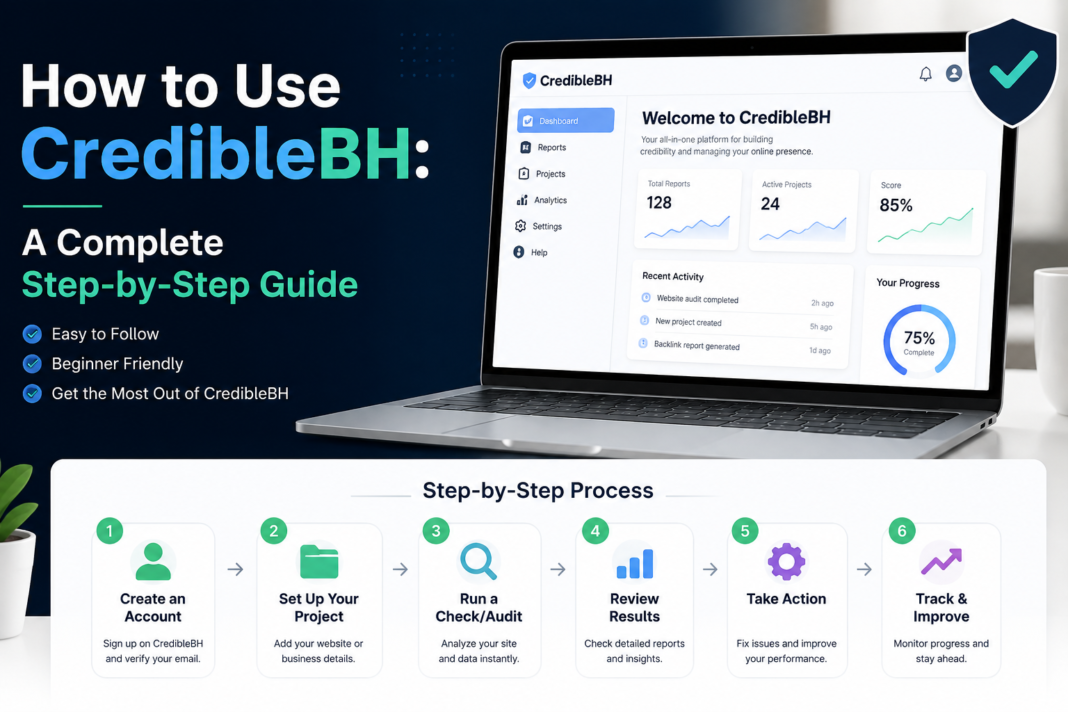

CredibleBH is a cloud-based behavioral health EHR platform designed to streamline clinical documentation, billing, and care coordination. This guide walks you through everything from initial setup and dashboard navigation to advanced features, integrations, and real-world use cases—so you can get the most out of the platform from day one.
If you work in behavioral health, you already know how much time gets swallowed up by documentation, scheduling, and billing. Credible was built specifically to address those pain points. As a purpose-built electronic health record (EHR) platform for behavioral health organizations, CredibleBH brings together clinical workflows, revenue cycle management, and reporting tools under one roof.
But like any robust platform, getting the most out of Credible requires more than just logging in. The interface is powerful—and with that power comes complexity. Knowing where to find the right features, how to configure your workspace, and how to automate repetitive tasks can mean the difference between a tool that saves your team hours each week and one that adds to the friction.
This guide covers everything you need to know: how to set up your account, navigate the dashboard, use core and advanced features, and apply CredibleBH to real-world clinical and administrative scenarios. Whether you’re a new user finding your footing or an experienced practitioner looking to unlock more of the platform’s potential, this walkthrough has you covered.
Getting Started with CredibleBH: System Requirements and Initial Setup
What are the system requirements for running CredibleBH?
CredibleBH is a cloud-based platform, which means there’s no software to download or install. You’ll need a stable internet connection, a modern web browser (Google Chrome is widely recommended for the best compatibility), and a device that can comfortably handle browser-based applications—most standard desktop computers, laptops, and tablets will work fine.
For organizations deploying Credible across a team, IT administrators should confirm that browser settings allow for pop-ups and cookies from the Credible domain, as certain features rely on these permissions.
How do you create a CredibleBH account and configure basic settings?
New users are typically onboarded through their organization’s system administrator. Here’s how the process generally works:
- Receive your credentials — Your system admin will provide your username and temporary password via email.
- Log in for the first time — Navigate to your organization’s CredibleBH URL and enter your credentials.
- Reset your password — You’ll be prompted to create a new, secure password on first login.
- Set up your profile — Fill in your role, credentials, and contact information under the user profile settings.
- Configure notifications — Choose how and when you’d like to receive alerts for tasks, appointments, and messages.
Admins can also configure organization-wide settings from the Administration panel, including user roles and permissions, form templates, and workflow rules.
How do you navigate the CredibleBH main dashboard?
Once logged in, the main dashboard is your command center. The left-hand navigation menu provides access to the platform’s primary modules, while the central pane displays your active caseload, upcoming appointments, and pending tasks.
Key dashboard elements include:
- My Caseload — A snapshot of your current clients and their status.
- Schedule View — A calendar-based view of upcoming appointments.
- Task Queue — Outstanding items requiring your attention, such as unsigned notes or billing exceptions.
- Quick Links — Shortcuts to frequently used features, which can be customized per user.
Spending a few minutes familiarizing yourself with the dashboard layout early on will pay dividends as your usage grows.
Understanding CredibleBH’s Core Features
What are the key modules and tools available in CredibleBH?
CredibleBH organizes its functionality into several core modules, each targeting a distinct operational area:
- Clinical Documentation — Progress notes, treatment plans, assessments, and discharge summaries.
- Scheduling — Appointment booking, recurring scheduling, and waitlist management.
- Billing & Revenue Cycle Management — Claims generation, remittance processing, and payer management.
- Reporting & Analytics — Pre-built and custom reports covering clinical outcomes, productivity, and compliance metrics.
- Client Portal — A self-service interface allowing clients to complete intake forms and access appointments.
- Medication Management — Prescription tracking and e-prescribing functionality (available in applicable configurations).
Understanding how these modules interrelate is key to working efficiently. A clinical note completed in the Documentation module, for example, can automatically trigger a billing event—reducing duplicated data entry.
How can you customize your CredibleBH workspace for optimal productivity?
CredibleBH allows individual users to tailor their workspace in several meaningful ways. You can pin frequently accessed features to your dashboard, adjust the default views for your schedule, and configure your note templates to pre-populate common fields.
Clinicians who document heavily can save significant time by creating reusable note templates with standardized language for recurring situations. Administrators, meanwhile, can benefit from building custom report views that surface the metrics most relevant to their role.
Step-by-Step Usage Guide for CredibleBH’s Primary Functions
How do you complete clinical documentation in CredibleBH?
Clinical documentation is at the heart of CredibleBH’s value proposition. Here’s a step-by-step walkthrough of creating a progress note:
- Select your client — Navigate to the client record via the search bar or your caseload list.
- Open the Documentation tab — Click into the relevant service date or create a new entry.
- Choose your note type — Select from progress notes, treatment plans, assessments, or other configured templates.
- Complete the required fields — Fill in service details, duration, diagnosis codes, and narrative content.
- Run error checks — CredibleBH flags missing required fields before submission.
- Sign and submit — Use your electronic signature to finalize the note. Unsigned notes remain in your Task Queue until completed.
For treatment plans, the process involves additional steps including goal-setting, objective tracking, and multi-disciplinary input where applicable.
How do you manage scheduling in CredibleBH efficiently?
To book an appointment:
- Navigate to the Schedule module.
- Select the clinician and date.
- Click an available time slot and choose the client from the search function.
- Set the service type, location (in-person or telehealth), and any recurrence rules.
- Confirm and save—the client and clinician will receive automated notifications if configured.
For high-volume schedulers, the recurring appointment feature is a significant time-saver. Rather than booking each session individually, you can set a cadence (weekly, biweekly, monthly) and generate the full schedule in one action.
What are the most common CredibleBH issues and how do you fix them?
A few issues come up frequently among CredibleBH users:
- Note won’t submit — Almost always due to missing required fields. Run the platform’s built-in validation tool to identify gaps before re-submitting.
- Claims rejected by payer — Check that diagnosis codes, service codes, and authorization numbers are entered correctly. The billing module’s error queue will flag the specific rejection reason.
- Slow performance — Clear your browser cache, switch to Chrome if you’re not already using it, and check your internet connection.
- Locked out of account — Contact your system administrator to reset credentials. Account lockouts typically occur after multiple failed login attempts.
Advanced CredibleBH Features and Tips for Power Users
What advanced capabilities does CredibleBH offer beyond basic documentation?
For users ready to move beyond the fundamentals, CredibleBH offers several advanced tools:
- Outcome Measurement Tools — Built-in standardized assessments (such as PHQ-9, GAD-7, and Columbia Suicide Severity Rating Scale) that populate outcomes data automatically over time.
- Configurable Workflows — Administrators can build logic-driven workflows that route tasks, trigger alerts, or auto-populate fields based on user actions.
- Population Health Reporting — Aggregate data views that help clinical leaders identify trends across their entire client population.
- Telehealth Integration — Direct integration with video conferencing tools for seamless virtual session documentation.
How does CredibleBH integrate with other platforms and tools?
CredibleBH supports integrations with a range of external systems, including:
- Pharmacy systems for e-prescribing
- State health information exchanges (HIEs) for interoperability with other providers
- Billing clearinghouses for streamlined claims submission
- Payer portals for real-time eligibility verification
For organizations using Credible alongside other platforms, the API documentation (available through Crucible’s developer resources) provides the technical specifications needed to build or configure custom integrations.
What automation options are available in CredibleBH to streamline workflows?
Automation within CredibleBH can reduce manual effort in several areas:
- Appointment reminders — Automated SMS and email reminders sent to clients before scheduled sessions.
- Billing triggers — Signed notes can automatically generate billing entries, eliminating a manual step.
- Task auto-assignment — Workflows can route tasks to the appropriate team member based on role, reducing administrative back-and-forth.
- Report scheduling — Key reports can be configured to generate and deliver automatically at set intervals (daily, weekly, monthly).
Start with one or two automation rules and expand as your team becomes comfortable with the workflow logic.
Real-World Use Cases: How Different Teams Use CredibleBH
How do outpatient behavioral health clinics use CredibleBH in practice?
For a mid-sized outpatient clinic, Credible typically serves as the operational backbone. Clinicians document sessions and treatment plans, while administrative staff manage scheduling and insurance authorizations within the same system. The seamless handoff between documentation and billing reduces claim errors and speeds up reimbursement cycles—a direct impact on the organization’s cash flow.
One common use case: a clinician completes and signs a progress note at end-of-session. That note automatically creates a billing entry, which the billing team reviews and submits to the payer the same day. The result is a compressed revenue cycle with fewer manual touchpoints.
How do community mental health centers benefit from CredibleBH’s reporting tools?
Community mental health centers often carry complex reporting obligations—to state agencies, funders, and accreditation bodies. CredibleBH’s reporting module allows these organizations to generate compliance reports, track outcomes across programs, and monitor productivity metrics without pulling data manually from multiple sources.
Program directors frequently use population-level dashboards to identify clients who haven’t been seen in a defined period, enabling proactive outreach and reducing dropout rates.
How do multi-site behavioral health organizations manage operations across locations using CredibleBH?
For organizations operating across multiple sites, CredibleBH’s role-based access controls and site-specific configuration options are particularly valuable. Administrators can assign permissions that reflect each user’s role and location, ensuring that staff only access the records relevant to their practice. Centralized reporting, meanwhile, gives executive leadership a consolidated view of performance across all sites.
Making the Most of CredibleBH: Where to Go From Here
CredibleBH is a comprehensive platform, and no single guide can cover every corner of it. But with a solid understanding of the setup process, core features, and advanced capabilities, you’re well-positioned to build workflows that genuinely reduce administrative burden—and redirect that time toward client care.
A few practical next steps:
- Explore CredibleBH’s help center — The platform maintains detailed documentation and tutorial videos for all major features.
- Connect with your implementation team — If your organization recently deployed CredibleBH, your implementation contact can provide tailored guidance and answer configuration questions.
- Join the CredibleBH user community — Peer forums and user groups are valuable resources for workflow tips, troubleshooting advice, and feature requests.
- Schedule a workflow review — Periodically audit how your team is using the platform. Habits formed during onboarding don’t always reflect the most efficient approach, and a fresh review often surfaces meaningful improvements.
The goal isn’t just to use Credible—it’s to use it well enough that your administrative overhead shrinks and your clinical capacity grows.
Frequently Asked Questions About CredibleBH
Is CredibleBH only for large behavioral health organizations?
No. CredibleBH serves organizations of varying sizes, from small outpatient practices to large community mental health centers and multi-site networks. The platform’s modular structure means smaller practices can implement the features most relevant to their needs without being overwhelmed by functionality they don’t require.
How long does it take to get fully set up on CredibleBH?
The timeline varies based on organizational size and complexity. A small practice with straightforward workflows might be operational within a few weeks. Larger organizations with custom integrations, complex billing configurations, or multiple sites should anticipate a longer implementation period—typically ranging from one to several months.
Does CredibleBH support telehealth documentation?
Yes. CredibleBH includes telehealth integration capabilities that allow clinicians to document virtual sessions directly within the platform, maintaining the same documentation and billing workflow as in-person visits.
How secure is patient data in CredibleBH?
CredibleBH is built to comply with HIPAA requirements, incorporating data encryption, role-based access controls, and audit logging to protect protected health information (PHI). Organizations should also implement their own internal access control policies to complement the platform’s built-in security features.
Can CredibleBH generate the reports required for state compliance and accreditation?
Yes. CredibleBH includes pre-built reports designed to meet common state reporting requirements and supports custom report creation for organization-specific or accreditation-related needs. Contact CredibleBH’s support team for guidance on configuring reports for specific regulatory requirements in your state.
What training resources does CredibleBH offer for new users?
CredibleBH provides access to a help center, tutorial documentation, and in some cases, implementation support from a dedicated team. Individual organizations may also develop their own internal training materials tailored to their specific workflows and configurations.