
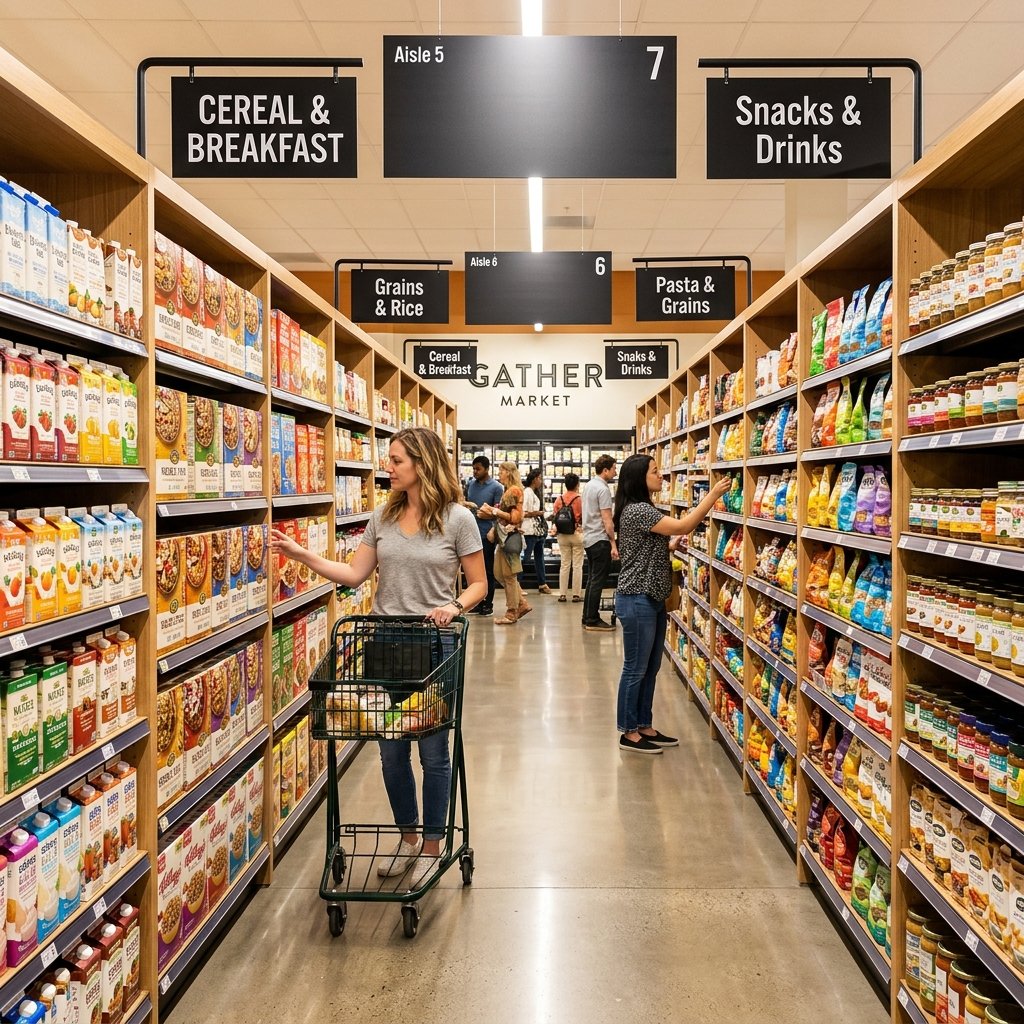

A planogram is a visual diagram that specifies where and how products should be placed on retail shelves. Retailers use Merchandising to maximize sales, improve customer experience, and manage shelf space efficiently. When implemented correctly, Merchandising drive measurable improvements in revenue, inventory management, and store layout.
Walk into any well-organized grocery store or pharmacy and you’ll notice something: nothing is placed by accident. The snacks near the checkout, the eye-level products, the way complementary items sit side by side—all of it is deliberate. Behind that intentionality is a tool called a Merchandising.
Merchandising have become one of the most powerful instruments in retail merchandising. They give store managers, buyers, and visual merchandisers a blueprint for shelf placement that’s grounded in data rather than guesswork. The result? Higher sales, fewer stockouts, and a shopping experience that feels intuitive to customers.
This guide covers everything you need to know about Merchandising—what they are, how they work, their benefits, and what the future holds for this foundational retail tool.
What Is a Planogram?
A planogram (sometimes abbreviated as POG) is a schematic diagram or visual model that shows exactly how and where products should be displayed on a shelf or within a retail space. It specifies product placement, facings, shelf positioning, and quantities—giving retail teams a precise, repeatable framework for stocking shelves.
Merchandising are used by retailers of all sizes, from independent grocery stores to global chains like Walmart and Target. They are typically created by category managers, merchandising teams, or suppliers, and are then distributed to store-level staff for implementation.
The concept of Merchandising isn’t new. Its roots trace back to the 1960s, when consumer packaged goods (CPG) companies began working more closely with retailers to optimize shelf layouts. As point-of-sale data became more accessible in the 1980s and 1990s, Merchandising evolved from simple hand-drawn diagrams into sophisticated, data-driven tools. Today, dedicated Merchandising software generates detailed 2D and 3D visual representations of entire store sections.
The Core Components of a Planogram
Visual Layout and Design
At its most basic, a Merchandising is a visual document. It maps out shelving units, fixture dimensions, and the precise location of every product. Color coding, product images, and shelf diagrams make it easy for store staff to interpret and replicate the intended layout accurately.
Data-Driven Product Placement
Effective Merchandising aren’t built on intuition alone. They incorporate sales velocity data, profit margins, and consumer behavior analytics to determine which products earn prime shelf real estate—and which get repositioned or removed. High-velocity items typically receive more facings and better shelf placement to maintain availability and visibility.
Category Management Principles
Merchandising operate within the broader discipline of category management—the practice of managing product groups as strategic business units. A well-designed Merchandising reflects category roles (whether a category is a destination, routine, or convenience purchase) and aligns shelf layouts with those roles to serve both retailer and shopper goals.
What Are the Benefits of Implementing Planograms in Retail?
Maximizing Sales and Profitability
Optimized Product Visibility
Products placed at eye level consistently outperform those placed at floor or top-shelf height. Merchandising apply this principle systematically—ensuring high-margin and high-velocity products receive the most impactful placements. This deliberate positioning increases the likelihood of purchase without requiring additional marketing spend.
Enhanced Customer Experience
Shoppers move through stores with purpose. When products are logically grouped and consistently placed, customers spend less time searching and more time purchasing. A well-executed planogram reduces friction in the shopping experience, which directly influences basket size and customer satisfaction.
Reduced Out-of-Stocks
Out-of-stock situations cost retailers revenue and erode customer trust. Merchandising specify the number of facings and minimum shelf quantities for each product, making it easier for staff to identify gaps quickly and replenish shelves before stockouts become a problem.
Improving Operational Efficiency
Streamlined Stocking Processes
When store staff have a clear Merchandising to follow, stocking shelves becomes faster and more consistent. New employees can be trained more quickly, and compliance across multiple store locations is easier to enforce and audit.
Better Inventory Management
Merchandising connect shelf space to inventory systems. By aligning what’s on the shelf with what’s in the stockroom, retailers can reduce overstock, minimize waste, and improve ordering accuracy. This is particularly valuable in categories with short shelf lives, such as fresh produce or dairy.
Space Utilization
Retail floor space is expensive. Merchandising ensure every linear foot of shelving is earning its keep by allocating space proportionally to each product’s contribution to category sales. Slow-moving SKUs that consume valuable shelf space get identified and either repositioned or removed.
Data-Driven Decision Making
Sales Performance Analysis
Once a Merchandising is implemented, its impact can be measured. Retailers track sales before and after Merchandising changes to assess what’s working. This creates a feedback loop that continuously improves shelf strategies over time.
Consumer Behavior Insights
Merchandising data, combined with shopper analytics and loyalty program insights, reveals how customers interact with specific shelf sections. These insights inform future Merchandising designs, helping retailers cater to shopper preferences more precisely.
Merchandising Strategy Development
Merchandising aren’t created in isolation—they’re part of a broader merchandising strategy. The data they generate helps category managers make smarter decisions about product assortments, promotional placements, and seasonal changes.
What Are the Different Types of Planograms?
Graphical Planograms
The most common format, graphical Merchandising use product images and shelf diagrams to represent layouts visually. They’re intuitive and easy for store staff to interpret, making them the preferred choice for in-store implementation.
Text-Based Planograms
Text-based Merchandising present shelf instructions in written format—listing product names, positions, and quantities without visual diagrams. They’re less visually accessible but can be useful for simple layouts or where printing resources are limited.
3D Planograms
Advanced Merchandising software generates three-dimensional representations of entire store sections or even full store layouts. 3D Merchandising allow retailers and brands to visualize shopper sightlines, test layout changes virtually, and present compelling proposals to retail buyers before any physical changes are made.
How Do Planograms Improve Retail Store Layouts?
Enhancing Customer Flow
The path customers take through a store directly influences what they see—and ultimately, what they buy. Merchandising work in concert with store layout principles to guide shoppers past high-margin sections and encourage unplanned purchases. A well-planned store flow increases dwell time in profitable areas without making customers feel lost or overwhelmed.
Strategic Product Grouping
Merchandising enable strategic adjacencies—placing complementary products next to each other to encourage cross-category purchases. Chips placed near dips, batteries near electronics, or vitamins near health snacks. These aren’t accidental groupings; they’re deliberate decisions backed by purchase correlation data.
Creating Visual Appeal
Beyond pure function, Merchandising contribute to a store’s aesthetic coherence. Consistent color blocking, balanced shelf heights, and tidy facings create a shopping environment that feels organized and premium. Visual appeal matters: a cluttered, inconsistent shelf discourages engagement, while a clean, well-merchandised one draws customers in.
How Is an Effective Planogram Created?
Data Collection and Analysis
Building a Merchandising starts with data. Retailers and category managers pull sales figures, margin data, consumer demographics, and market research to understand which products deserve shelf priority. Supplier-provided data—including scan data and category performance benchmarks—also plays a role.
Software and Tools for Merchandising
Modern Merchandising relies on dedicated software. Tools like JDA (now Blue Yonder), LEAFIO Shelf Efficiency, and Nielsen Spaceman allow teams to create, share, and update Merchandising at scale. These platforms integrate with inventory and POS systems, providing a continuous data feed that keeps Merchandising relevant as market conditions change.
Implementation and Monitoring
Creating a Merchandising is only half the work. Implementation requires training store teams, auditing compliance, and monitoring results. Many retailers use mobile audit tools that allow staff to photograph shelves and compare them against the approved Merchandising in real time, flagging deviations for correction.
What Are the Common Challenges and Best Practices in Merchandising?
Common Pitfalls to Avoid
- Ignoring store-level variability: A Merchandising designed for a large-format store often doesn’t translate well to a smaller location. Failing to account for fixture differences leads to poor execution and wasted space.
- Infrequent updates: A Merchandising created six months ago may no longer reflect current sales trends, seasonal demand, or new product introductions. Stale Merchandising erode their own effectiveness.
- Neglecting compliance monitoring: A Merchandising is only as good as its execution. Without regular audits, shelf layouts drift from the intended design, undermining the data-driven decisions behind them.
Tips for Successful Planogram Execution
- Involve store managers in the planning process to account for local customer preferences.
- Set a regular review cadence—quarterly at minimum—to keep Merchandising current.
- Invest in training so store teams understand not just what the Merchandising shows, but why product placement decisions were made.
- Use compliance data to identify systemic execution issues before they become entrenched habits.
Integrating Planograms with Retail Strategy
A Merchandising doesn’t exist in isolation. Its greatest impact comes when it’s integrated with promotional calendars, seasonal assortment changes, and supplier partnerships. Aligning Merchandising updates with promotional events ensures that featured products are optimally positioned to capture the traffic those promotions generate.
What Does the Future of Planograms in Retail Look Like?
AI and Machine Learning in Merchandising
Artificial intelligence is accelerating the speed and accuracy of Merchandising development. AI-powered platforms analyze large datasets—combining sales history, shopper behavior, and competitor intelligence—to generate optimized shelf layouts in a fraction of the time it takes human planners. These systems can also simulate hundreds of layout scenarios to identify the highest-performing option before any physical changes are made.
Personalization and Dynamic Planograms
Static Merchandising updated quarterly are giving way to dynamic models that respond to real-time data. Retailers with digital shelf labels and smart shelving technology can adjust product positioning and promotional messaging at the shelf level based on time of day, current inventory, or even local weather conditions. This level of personalization was impractical a decade ago—it’s becoming standard practice for large retailers today.
Omnichannel Retailing and Planograms
As the boundary between physical and digital retail blurs, Merchandising are expanding beyond the store floor. Retailers now apply Merchandising logic to digital shelf layouts—the order in which products appear in online search results and category pages. Consistent product positioning across in-store and online channels reinforces brand recognition and simplifies the customer journey regardless of where the purchase ultimately happens.
Building a Smarter Retail Floor Starts With a Planogram
Merchandising are far more than shelf diagrams. They’re strategic assets that connect consumer behavior data to physical store reality—turning square footage into a measurable driver of revenue and customer satisfaction.
Retailers who treat Merchandising as living documents, regularly updated and rigorously monitored, consistently outperform those who rely on static layouts and intuition. With AI now accelerating Merchandising development and dynamic systems enabling real-time shelf optimization, the gap between data-driven retailers and those without structured Merchandising is only going to widen.
Whether you’re managing a single store or a national chain, a well-executed Merchandising strategy is one of the highest-return investments a retail operation can make.
Frequently Asked Questions About Planograms
What is a planogram in retail?
A Merchandising is a visual diagram that specifies how and where products should be placed on retail shelves. Retailers use Merchandising to optimize product visibility, improve customer flow, reduce stockouts, and maximize sales per square foot.
How does a planogram differ from a store layout?
A store layout refers to the overall floor plan of a retail space, including the placement of departments, aisles, and fixtures. A Merchandising operates at a more granular level, detailing exactly which products go where within a specific shelving unit or display.
Who creates planograms?
Merchandising are typically created by category managers, visual merchandisers, or dedicated Merchandising teams within a retail organization. Consumer packaged goods (CPG) suppliers also frequently create Merchandising for their product categories and present them to retail buyers as part of trade marketing initiatives.
What software is commonly used to create planograms?
Popular Merchandising tools include Blue Yonder (formerly JDA), Nielsen Spaceman, LEAFIO Shelf Efficiency, and Shelf Logic. These platforms generate 2D and 3D visual Merchandising and often integrate with POS and inventory management systems.
How often should planograms be updated?
Most retailers review and update Merchandising on a quarterly basis, though categories with high seasonal variability—like beverages or snacks—may require more frequent updates. Real-time data and AI-driven tools are enabling some retailers to make dynamic adjustments much more frequently.
Can small retailers benefit from using planograms?
Yes. Merchandising are scalable and valuable for retailers of any size. Even a simple Merchandising for a single product category can reduce stockouts, improve shelf aesthetics, and increase sales for a small independent store.
What is the relationship between planograms and category management?
Merchandising are a key output of the category management process. Category management determines how a product group should be positioned strategically within a retailer’s assortment, and the Merchandising translates that strategy into a physical shelf layout.